How to build your furniture brand's online presence

Furniture e-commerce has a conversion problem. The average conversion rate for furniture stores sits between 1.4% and 1.65%, well below the general e-commerce average. That means roughly 98 out of every 100 visitors leave without buying. The core reason is not price or product quality. It is uncertainty. Shoppers cannot picture how a sofa looks in their living room or whether a dining table fits the space. Building a strong furniture brand online presence requires closing that visualization gap, and AI-powered tools are now making that possible at scale.
Table of Contents
- What you need: essential tools and data to build a strong online presence
- How to prepare your online store for AI-powered furniture visualization
- Step-by-step execution: Implementing AI visualization and enhancing customer engagement
- Verifying success: measuring the impact and optimizing for sustained growth
- Why traditional furniture e-commerce tactics often fall short in 2026
- Explore AI Furniture’s solutions to transform your online presence
- Frequently asked questions
Key Takeaways
| Point | Details |
|---|---|
| Conversion uplift | Incorporating AI-generated lifestyle images and user photos can more than double furniture e-commerce conversion rates. |
| Virtual showroom mindset | Treat your website as a showroom, not just a catalog, by using immersive visuals and personalization. |
| Incentivize reviews | Encourage photo reviews with rewards to build valuable, authentic visual content that drives trust. |
| Test hero images | Focus A/B testing on the primary product image for quick, actionable improvement in sales. |
| Continuous optimization | Track engagement and conversions post-launch to refine your visualization and review strategies for sustained growth. |
What you need: essential tools and data to build a strong online presence
To address these challenges, your first step is gathering the right tools and data to craft an engaging website that converts. Building a furniture brand online presence is not just about having a clean website or fast load times. It is about replicating the sensory confidence that a physical showroom provides. Shoppers who walk into a store can touch fabric, measure dimensions with their eyes, and imagine pieces in their homes. Your digital strategy needs to do the same work.
The non-negotiables for any furniture retailer serious about online growth:
- AI visualization tools that let customers place products in uploaded room photos, removing the biggest barrier to purchase
- Lifestyle imagery showing furniture in real, styled rooms rather than white-background isolation shots
- User-generated content (UGC) in the form of customer photo reviews, which provide authentic proof of how products look in real homes
- A virtual showroom structure that guides visitors through curated collections rather than dumping them into a flat product catalog
- Social proof elements like review carousels, star ratings, and customer photos on product pages and the homepage
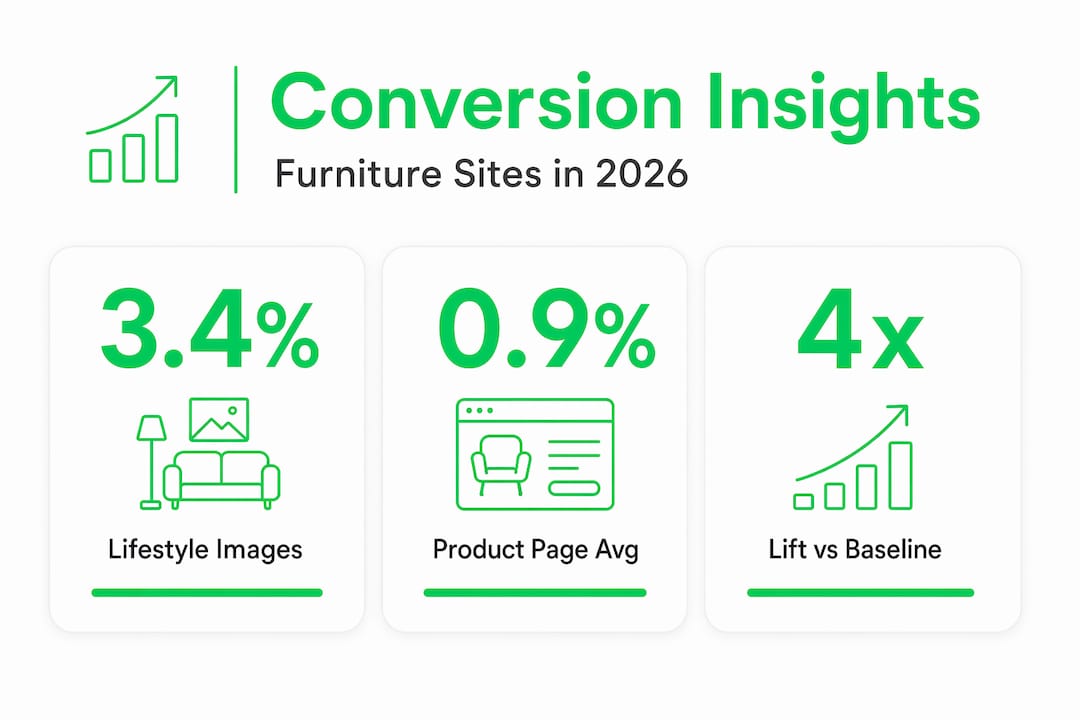
The data behind these tools is compelling. Product pages with 5+ lifestyle images convert at 3.4%, nearly four times the category average. That single change, adding more lifestyle images, can be the difference between a struggling store and a profitable one. The 161% higher conversion rate for shoppers who engage with user-generated content is equally striking. Real customer photos answer questions that product descriptions never can.
| Content type | Average conversion rate | Lift vs. baseline |
|---|---|---|
| White-background product images only | ~0.9% | Baseline |
| 1-2 lifestyle images | ~1.6% | +78% |
| 5+ lifestyle images | ~3.4% | +278% |
| Lifestyle images + UGC photo reviews | 3.4%+ | Highest |
AI furniture visualization solutions make it possible to generate lifestyle imagery without expensive photo shoots, and a solid furniture visualization guide can help you understand what customers actually need to see before they commit.

How to prepare your online store for AI-powered furniture visualization
Having gathered the needed tools, next is preparing your store to integrate these AI visualization features effectively. Jumping straight to installation without preparation is how retailers end up with a half-working widget that confuses customers and hurts credibility.
Here is a practical preparation checklist:
- Audit your current product imagery. Go through every product page and flag items with only white-background photos or fewer than three images. These are your highest-priority pages for AI-generated lifestyle scenes.
- Choose an AI visualization provider that supports Shopify. Confirm the tool offers a drop-in widget or app, not just an API that requires custom development.
- Gather product dimensions and room context data. AI room scene generators need accurate measurements to place furniture realistically. Sloppy data produces unrealistic results that erode trust.
- Build a UGC collection plan. Decide how you will ask customers for photo reviews: post-purchase email sequences, loyalty point incentives, or QR codes in packaging.
- Check site performance. Run a speed test before and after adding any new visual tools. Heavy image assets can slow load times, which kills the conversion gains you are trying to achieve.
One often-missed step is aligning your content strategy before going live. AI-generated room scenes allow lifestyle imagery at a fraction of traditional photography costs, but they still require thoughtful art direction. Decide on consistent room styles, color palettes, and staging aesthetics that match your brand identity before generating images in bulk.
Pro Tip: Test your AI visualization tool on three to five of your best-selling products first. Measure engagement and add-to-cart rates for two weeks before rolling out across your full catalog. This gives you real data to justify the investment and identify any technical issues early.
You can explore what the experience looks like for shoppers by visiting the furniture visualization demo, and review AI visualization pricing to plan your budget before committing.
Step-by-step execution: Implementing AI visualization and enhancing customer engagement
With store preparations complete, you can now execute your AI visualization and UGC strategies to elevate engagement and conversion. Execution is where most retailers either gain significant ground or waste their investment by moving too fast without a testing framework.
Follow this sequence:
- Integrate the AI visualization widget into your top 10 product pages first. Do not launch across the entire catalog simultaneously.
- Replace hero images strategically. Swap white-background shots with AI-generated lifestyle scenes on the pages you are testing, then run an A/B test for 7 to 14 days.
- Add at least five lifestyle images per product page, mixing room styles, angles, and lighting conditions to address different customer tastes.
- Set up photo review collection. Launch a post-purchase email sequence asking customers to submit photos, with loyalty points as the incentive.
- Add review carousels to your homepage and product pages. Display customer photos prominently, not buried in a tab below the fold.
- Monitor and adjust. After two weeks, compare conversion rates on AI-enhanced pages versus unchanged pages.
The results from retailers who commit to this approach are clear. Top furniture retailers achieving 3.10%+ conversion rates consistently prioritize immersive visual content over text-heavy descriptions. And lifestyle room scenes outperform white-background shots by 30 to 45%, which means every product page running only isolation photos is leaving money on the table.
| Page type | Typical conversion rate | Key differentiator |
|---|---|---|
| Standard product page | 0.9%–1.2% | Text + white-background images |
| AI lifestyle imagery added | 2.0%–2.5% | Room context, styled scenes |
| AI imagery + UGC photo reviews | 3.0%–3.4%+ | Social proof + visualization |
Understanding the psychology behind why visualization works so powerfully is worth your time. The furniture visualization psychology behind purchase behavior explains why customers who can “see” furniture in their space are far more likely to buy. Real-world results from major retailers, like the IKEA AI visualization case study, show what is possible when visualization is treated as a core part of the buying experience rather than a nice-to-have feature.
Pro Tip: When adding review carousels, match the widget’s font and color scheme to your existing brand style. A review section that looks bolted on signals low quality. One that feels native to the page builds trust automatically.
Verifying success: measuring the impact and optimizing for sustained growth
After launching your AI-powered visualization, it is critical to verify results and refine tactics for long-term success. Many retailers make the mistake of treating implementation as the finish line. It is actually the starting point for a continuous improvement cycle.
Key metrics to track from day one:
- Conversion rate by page type: Compare AI-enhanced product pages directly against unchanged pages in the same category
- Add-to-cart rate: A leading indicator that often moves before overall conversion does
- Time on page: Customers engaging with visualization tools spend more time on product pages, which correlates with higher purchase intent
- Photo review submission rate: Tracks how well your UGC incentive program is working
- Return rate: One of the most important long-term metrics. Better visualization reduces returns by setting accurate expectations
| Metric | What it tells you | Optimization action |
|---|---|---|
| Conversion rate flat after 2 weeks | Visualization not reaching shoppers | Move widget higher on the page |
| High engagement, low conversion | Price or trust barrier | Add more UGC, improve review count |
| Low photo review submissions | Incentive not compelling enough | Increase loyalty points or simplify upload |
| High return rate | Visualization not accurate enough | Improve image quality or room context |
Consistent photo review collection dramatically improves product page conversion rates within 60 to 90 days. That timeline matters because it sets realistic expectations. You will not see the full impact of a UGC strategy in the first two weeks.
Pro Tip: Set a calendar reminder to refresh your lifestyle imagery and review carousels every 90 days. Content fatigue is real. Shoppers who visit your store multiple times before buying will notice if nothing has changed, and it signals a brand that is not actively investing in its customer experience.
The AI furniture insights blog is a useful resource for staying current on what visualization tactics are driving results across the industry.
Why traditional furniture e-commerce tactics often fall short in 2026
Here is the uncomfortable reality: most furniture brands that struggle online are not failing because of bad products or poor marketing budgets. They are failing because they are running a digital catalog and calling it an e-commerce strategy.
A catalog shows products. A showroom sells them. The difference is experience, context, and confidence. When a customer walks into a physical furniture store, a good salesperson does not just point at a sofa. They ask about the room size, the existing color palette, the lifestyle of the household. They create a mental picture. Most furniture websites do none of this. They show a product photo, list dimensions, and wait.
Furniture brands that treat their website as a virtual showroom and integrate personalized services replicate the in-store confidence that drives purchase decisions. That means live chat with design consultants, AI visualization that places products in the customer’s actual room, and review carousels that show real homes, not staged studio shots.
The other major failure is passive review strategy. Most retailers send one post-purchase email asking for a review, get a 2% response rate, and consider the job done. That is not a strategy. It is an afterthought. The brands winning on social proof are actively building UGC pipelines, treating customer photos as marketing assets, and refreshing that content continuously.
AI visualization tools like those offered through the virtual showroom approach are not just a feature upgrade. They are a fundamental shift in how the customer relationship is built online. The brands that recognize this early and build their digital strategy around immersive, personalized experiences will own their categories. The ones still relying on static images and generic product descriptions will keep wondering why their conversion rates will not move.
Explore AI Furniture’s solutions to transform your online presence
Building a furniture brand’s online presence that actually converts requires the right tools working together. Aifurniture gives Shopify furniture retailers exactly that.
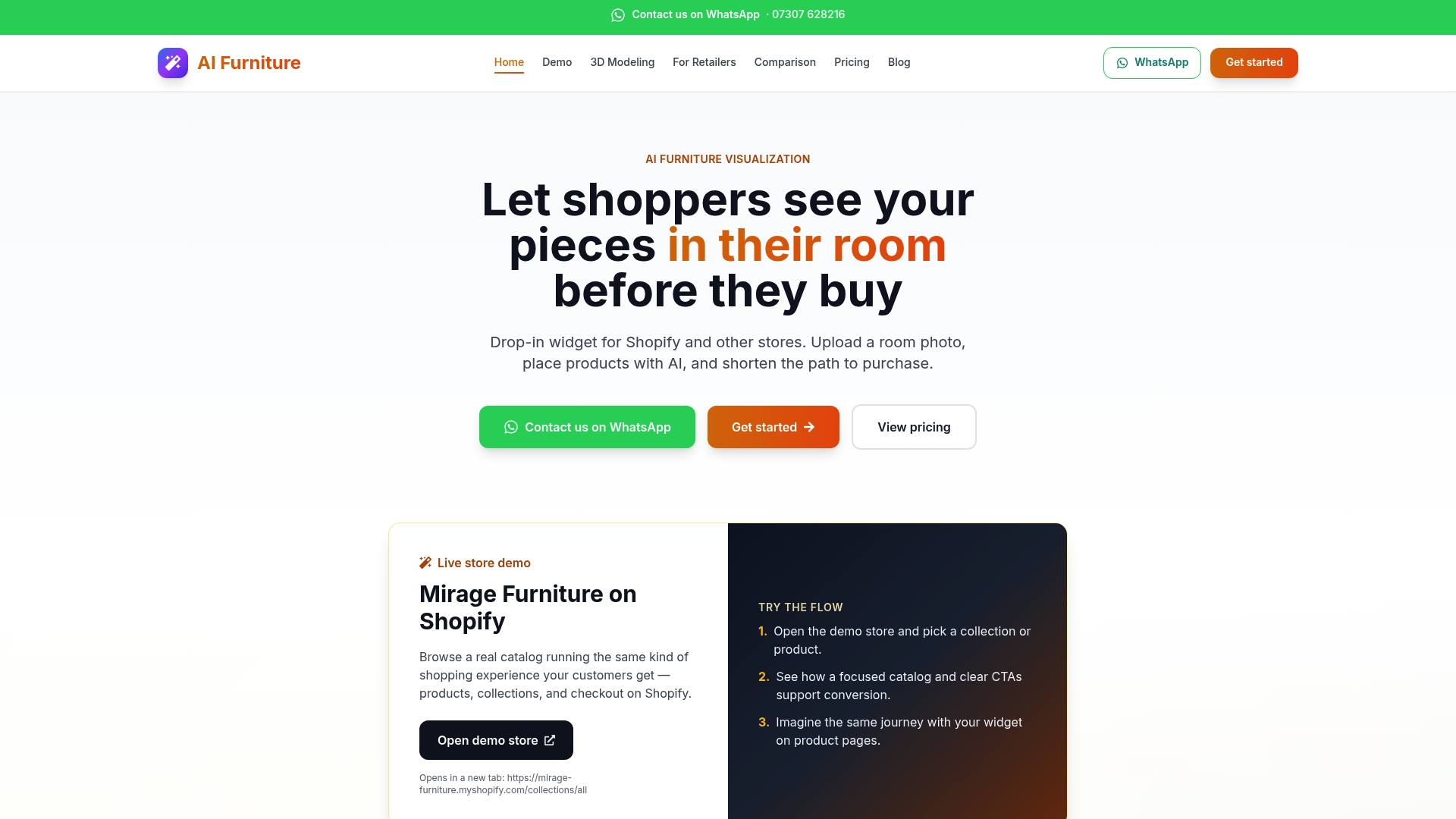
With Aifurniture, your customers can upload a photo of their room and see your products placed directly inside it, removing the uncertainty that causes cart abandonment. You can try it yourself through the AI furniture placement demo before committing to anything. Pricing plans are built for furniture retailers at every stage, from growing independent stores to established multi-line brands. If you are ready to close the gap between browsing and buying, Aifurniture for retailers is the place to start.
Frequently asked questions
How does AI visualization improve furniture e-commerce conversion rates?
AI visualization generates realistic lifestyle images and lets customers place products in their own rooms, directly addressing purchase uncertainty. Product pages with 5+ lifestyle images convert at 3.4%, nearly four times the category average.
What is user-generated content’s role in building trust for furniture brands?
Customer photo reviews show real homes and real use cases, answering the questions that product descriptions cannot. Shoppers engaging with UGC convert 161% higher than those who do not.
Can AI visualization be integrated easily with Shopify stores?
Yes. Most AI visualization tools designed for furniture retail offer Shopify-compatible widgets or apps that deploy without custom development, allowing you to go live quickly without disrupting your existing store setup.
How can I encourage customers to submit photo reviews?
Incentivizing photo reviews with loyalty points creates a self-sustaining pipeline of visual assets. Pairing points with a one-tap photo upload process in your post-purchase email sequence consistently increases submission rates.
What metrics should I track after implementing AI visualization?
Focus on conversion rate by page type, add-to-cart rate, time on product page, photo review submission rate, and post-purchase return rate. Together, these metrics tell you whether your visualization investment is working and where to adjust.
Recommended
- Let Customers See Your Furniture in Their Home Before They Buy | AI Furniture
- Let Customers See Furniture in Their Home Before They Buy | Complete Guide 2026
- AI Furniture — visualize products in your customers’ rooms
- Case Study: How IKEA Increased Online Sales by 60% with AI Furniture Visualization | AI Furniture Placement Blog
Try AI furniture visualization on a live store
Pay per click — 10p per click, no setup fee. See room preview on our Mirage Furniture Shopify demo.